
How to Add a Custom Thumbnail to YouTube Shorts (2026)
You can now upload a custom thumbnail for a Short in YouTube Studio on a computer. Here are the steps, the 9:16 size, who is eligible, and what to do on a phone.
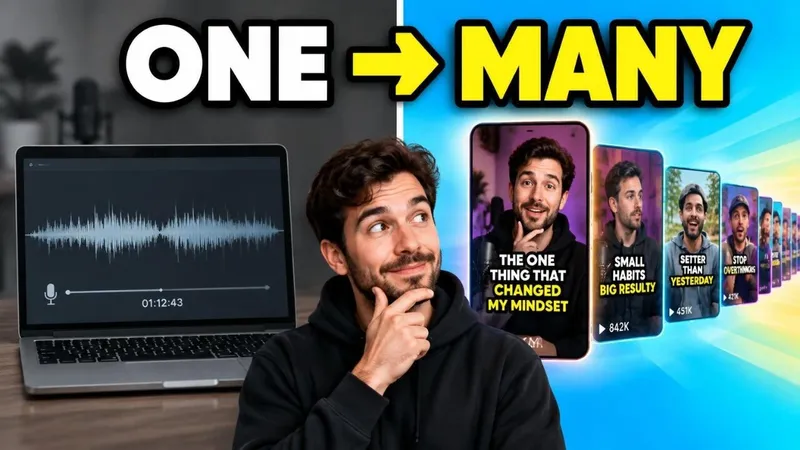
To add a custom thumbnail to a YouTube Short, open YouTube Studio on a computer, go to Content, then the Shorts tab, open the Short, and under Thumbnail choose Upload file. The image should be vertical 9:16, and your account has to be verified. Custom uploads are not available in the phone app.
Until July 2026 a Short could only use a frame from the video. Here is how the new upload works, the size to use, and what to do when the option does not appear.
Add a custom Shorts thumbnail on a computer
- Go to studio.youtube.com and sign in to the channel.
- Click Content in the left menu, then the Shorts tab.
- Click the title or the pencil icon of the Short you want to change.
- Under Thumbnail, click Upload file and choose a 9:16 JPG or PNG.
- Click Save. The new thumbnail can take a while to show everywhere on YouTube.
You can do the same while uploading a new Short in Studio: the Thumbnail section is on the Details step. The Tags field is on the same step under Show more; our YouTube Shorts tags guide covers when they are worth adding.
On a phone: pick a frame instead
The YouTube app and the Studio app do not accept a custom image for Shorts. When you upload a Short from the YouTube app, tap the thumbnail preview on the details screen and drag through the video to choose a frame. Tap Done.
If you want a designed thumbnail, put it into the video itself: add the image as a short opening frame (a fraction of a second is enough), then select that frame as the cover. It is a workaround, but it gives you control on mobile.
YouTube Shorts thumbnail size
| Setting | Value |
|---|---|
| Aspect ratio | 9:16 (vertical) |
| Recommended size | 2160 × 3840 px |
| Practical size | 1080 × 1920 px |
| Minimum | 640 px tall |
| Format | JPG or PNG |
| Max file size | 50 MB (desktop upload) |
Do not reuse a 16:9 thumbnail. YouTube swaps a horizontal thumbnail on a vertical video for its own 4:5 crop. The full spec for both formats is in our YouTube thumbnail size guide.
Who can upload Shorts thumbnails
- Verified accounts only. Verify with a phone number in YouTube Studio under Settings, Channel, Feature eligibility.
- Gradual rollout. YouTube released the feature in July 2026 and not every channel saw it on day one. If Upload file is missing on a verified channel, check again in a few days.
- No guideline strikes affecting features. Some advanced features are paused on channels with active strikes.
Where a Shorts thumbnail actually shows
In the swipeable Shorts feed, viewers see the video, not the thumbnail. The thumbnail matters on the surfaces where people choose what to tap:
- The Shorts shelf on the home page and in search results
- The Shorts tab on your channel page
- Related content and the subscriptions feed
On those surfaces the image is shown small, about 150 to 200 pixels wide on a phone. Use one face or object, large, and no more than three words of text.
What makes a Shorts thumbnail work
- Keep the subject in the middle third. Shelves sometimes trim the top and bottom; the center is always shown.
- Make text huge. Two or three words that fill the width. If you can read it at 150 pixels wide, it works.
- Match the first second. A thumbnail that promises something the Short does not show in its opening gets swiped away, which hurts the Short more than a plain frame would.
- Contrast with the shelf. If every Short in your niche is dark, a bright background stands out, and the other way round.
For layouts by niche, see our list of YouTube thumbnail ideas.
Short.now's AI thumbnail maker creates vertical 9:16 thumbnails from your Short's title, with your own face from a photo, and rates each one for phone-size readability. Included in every paid plan.
Frequently Asked Questions
Yes. Since July 2026 YouTube lets you upload a custom image as a Short's thumbnail. It only works in YouTube Studio on a computer, and your account must be verified.
The usual reasons are that you are on a phone (uploads are desktop-only), your account is not verified, or the feature has not reached your channel yet. On a phone you can still pick a frame from the video when you upload.
9:16 vertical. YouTube recommends 2160 × 3840 pixels with a minimum height of 640 pixels. 1080 × 1920 is a practical size that matches most Shorts exports. JPG or PNG, up to 50 MB.
No. YouTube replaces a 16:9 custom thumbnail on a vertical video with an automatic 4:5 crop. Make the image 9:16.
Not with YouTube's built-in A/B test, which YouTube says does not support Shorts. To compare options for a Short, look at its views from the Shorts feed versus channel and search over a few days after a change.
Ready to stop editing and start publishing?
Short.now turns your long videos into scroll-stopping shorts automatically — in under 2 minutes.
Get started free 3 free videos every month · No credit card needed