
Best CapCut Alternatives (2026): Free and Paid Apps Compared
CapCut Pro now costs $19.99 a month, and auto captions are behind the paywall. Here are the best CapCut alternatives for phone, desktop and browser, with the free-plan limits, watermark rules and prices checked on each vendor's own site.
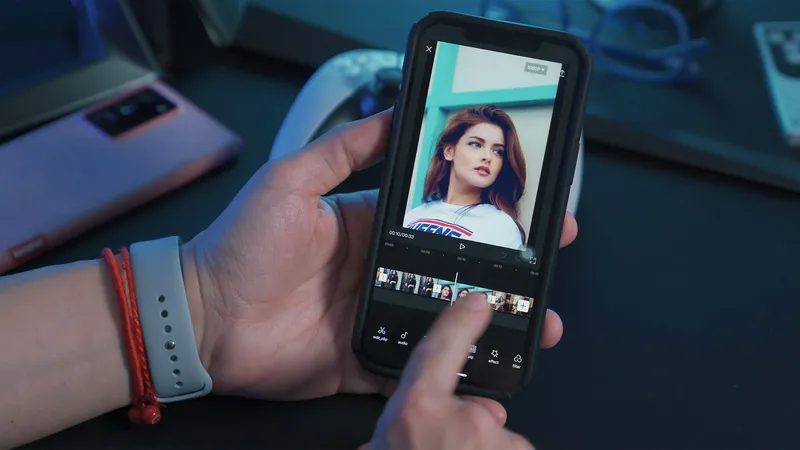
The best CapCut alternatives are VN Video Editor and Adobe Premiere on your phone, DaVinci Resolve on a computer, and our free Short.now Video Editor or Clipchamp in the browser. All of them are free and export without a watermark. If you mostly use CapCut to cut long videos into Shorts, an AI clipping tool will save you more time than any manual editor.
Below is a comparison of 19 apps, why so many people are leaving CapCut in 2026, and how to switch without losing your work. Prices and free-plan rules were checked on each vendor's own site and app store listing in November 2026.
Why creators are looking for a CapCut alternative
- The price went up. CapCut's own comparison page lists Pro at $19.99 a month or $179.99 a year. In early 2026 the annual plan roughly doubled, and existing subscribers were moved to the new rate. Our CapCut pricing guide covers every plan.
- Features moved behind Pro. Auto captions and motion tracking are now Pro-only. On desktop, 4K and 60 fps exports are locked for free users.
- Watermarks in more places. CapCut's help center says any project with a Pro effect, template or song triggers the Pro prompt. On mobile, exports over 15 minutes get a watermark if you do not upgrade.
- The content license. The June 2025 terms update caused a backlash over the "perpetual, irrevocable" license to user content. CapCut says that section has not changed in years, but the license is broad.
- The US situation. CapCut disappeared from US app stores for almost a month in early 2025. It is back, and TikTok's US joint venture now covers it, but many creators no longer want their workflow to depend on it.
CapCut alternatives compared
| App | Platforms | Watermark on free exports | Free export quality | Paid plan from |
|---|---|---|---|---|
| VN Video Editor | iPhone, Android, Mac, Windows | No | Up to 4K | $7.99 |
| Adobe Premiere (mobile) | iPhone, iPad, Android | No | Up to 4K | $7.99/mo (AI credits) |
| Edits (Instagram) | iPhone, Android | No | 4K | No paid plan |
| InShot | iPhone, Android, Mac | Removable with Pro | Up to 4K | $4.99/mo |
| YouCut | iPhone, Android | No | Up to 4K | $6.99/mo |
| KineMaster | iPhone, Android, Mac | Yes | — | $8.49/mo |
| DaVinci Resolve | Windows, Mac, Linux, iPad | No | Up to 4K, 60 fps | $295 one-time (Studio) |
| Clipchamp | Browser, Windows | No | 1080p | Microsoft 365 |
| Canva | Browser, iPhone, Android, Mac | No (free elements) | 1080p | About $12/mo, billed yearly |
| iMovie | Mac, iPhone, iPad | No | Up to 4K | Free |
| Filmora | Windows, Mac, mobile | Yes | 720p on mobile | $59.99/yr |
| LumaFusion | iPhone, iPad, Mac, Android | No free version | — | $29.99 one-time |
| Short.now Video Editor | Browser (desktop) | No | MP4 or WebM | Free |
| OpenCut | Browser | Free and open source | — | Free |
| Shotcut / Kdenlive | Windows, Mac, Linux | No | Unlimited | Free |
| VEED | Browser | Yes | 720p | $12.25/mo, billed yearly |
| Kapwing | Browser | Yes | 720p | $16/mo, billed yearly |
| Short.now | Browser | No | 720p | See pricing |
| OpusClip | Browser, iPhone, Android | Yes | 1080p | $15/mo |
Prices are US list prices in November 2026 and change often. Several desktop editors run near-permanent discounts, so the checkout price may be lower. A dash means the vendor does not state it.
Best CapCut alternatives on iPhone and Android
1. VN Video Editor: the closest free match
VN feels the most like CapCut: a multi-track timeline, keyframes, speed curves, text and music, and exports up to 4K at 60 fps with no watermark. It runs on iPhone, Android, Mac and Windows, so you can start a project on your phone and finish it on a laptop. The free version shows ads, and VN Pro adds extra effects and cloud features.
Best for: CapCut users who want the same kind of editing without a subscription.
2. Adobe Premiere (mobile): free, with no watermark
Adobe discontinued Premiere Rush in 2025, and its support ended in September 2026. If a list still recommends Rush, it is out of date. Its replacement is the free Premiere app for iPhone and Android. It offers multi-track editing, unlimited 4K exports and no watermark. You pay only for AI features and extra storage, from $7.99 a month.
Best for: creators who want a pro-style phone editor and may move to desktop Premiere later.
3. Edits by Instagram: built for Reels
Meta's Edits app is free, exports in 4K with no watermark and has no paid plan yet. It records up to 10 minutes in the app, includes green screen and auto captions, and posts straight to Instagram. It runs on iPhone and Android, but not iPad.
Best for: anyone whose main platform is Instagram Reels.
4. InShot: quick edits on the go
InShot is the simple option: trim, add music and text, change the aspect ratio and export. It is quicker to learn than CapCut, with a less capable timeline. The free version shows ads and adds an InShot watermark that Pro removes. Pro costs $4.99 a month, $19.99 a year or $49.99 once.
Best for: fast single-clip edits for TikTok and Reels.
5. YouCut: simple and watermark-free
YouCut is a straightforward trimmer and editor from the makers of InShot. Unlike InShot, its free exports have no watermark. It handles cutting, merging, speed changes and music well, but has fewer effects than CapCut.
Best for: Android users who mostly cut and join clips.
6. KineMaster: layers and a big asset store
KineMaster has strong layer controls, chroma key and a large library of effects and music. The catch is the watermark on every free export. Premium starts at $8.49 a month or $49.99 a year.
Best for: mobile editors who need layering and will pay for it.
7. LumaFusion: pro editing on iPad
LumaFusion has no free version. It costs $29.99 once, with an optional Creator Pass subscription. For that you get a real multi-track editor that works well on an iPad with a keyboard. It also runs on Android and Mac.
Best for: people who would rather pay once than subscribe.
Best CapCut alternatives for PC and Mac
8. DaVinci Resolve: the most capable free editor
DaVinci Resolve is a professional editor that is free for most uses. It offers editing, color grading, audio and effects in one app, with exports up to 4K at 60 fps and no watermark. The paid Studio version is a one-time purchase. Resolve is far harder to learn than CapCut, and it needs a capable computer.
Best for: YouTubers who want room to grow and are willing to learn.
9. Clipchamp: free in the browser and on Windows
Clipchamp comes with Windows and also runs in the browser. The free plan exports unlimited 1080p video with no watermark, and includes templates and stock media. Microsoft retired the iPhone app in June 2026, so it is now desktop only.
Best for: Windows users who want something as easy as CapCut desktop.
10. iMovie: free on Apple devices
iMovie is free on Mac, iPhone and iPad, with no watermark and no in-app purchases. It is basic, with limited text styles and no auto captions, but it is reliable and fine for simple YouTube videos.
Best for: beginners on a Mac or iPhone.
11. Filmora: effects and templates
Filmora sits between CapCut and a pro editor. It is easy to pick up and has a large effects library and AI tools. Free exports carry a watermark, and the annual plan lists at $59.99.
Best for: beginner YouTubers who want lots of effects on desktop.
12. Shotcut and Kdenlive: open-source desktop editors
Shotcut and Kdenlive are free, open source and run on Windows, Mac and Linux. Neither has accounts, watermarks or upsells. They look plainer than CapCut and have no templates, but they handle a normal YouTube edit without trouble. Kdenlive is the more capable of the two.
Best for: people who want free software with no strings attached.
Best CapCut alternatives in the browser
13. Short.now Video Editor: free, no watermark, no account
This is our own editor. The Short.now Video Editor runs in your browser and is free, with no watermark, no sign-up and no paid tier. It has a multi-track timeline, text in any Google font, captions generated from speech, 17 effects, 12 transitions, keyframes and masks. You export to MP4 or WebM, in vertical, square or wide format. Your files never leave your computer: media is stored in your browser, and captions are transcribed on your device. It is built on OpenCut's open-source code.
It works best in a recent Chrome or Edge on a laptop or desktop. Phones and tablets are not supported yet, and projects don't sync between devices.
Best for: CapCut desktop users who want a free editor with no watermark and nothing to install.
14. OpenCut: the open-source CapCut alternative
OpenCut describes itself as "the open-source CapCut alternative", and its GitHub project is one of the most starred video editors there. It runs in the browser, your videos stay on your device, and it is free under the MIT license. It is still an early beta. The version at opencut.app is the original codebase, now archived, while the team rebuilds it from scratch. Expect missing features and occasional bugs.
Best for: simple edits in the browser without an account or a subscription.
15. Canva: templates first
Canva is a design tool that also edits video. It is good for short template-based clips, text animation and branded social posts. Free exports are 1080p, and only Pro elements are restricted. For anything with a real timeline, it is weaker than CapCut.
Best for: social graphics and short promo clips in one place.
16. VEED and Kapwing: browser editors with AI tools
VEED and Kapwing run entirely in the browser and include subtitles, background removal and team sharing. Their free plans are tight: 720p exports with a watermark, and Kapwing limits free videos to 4 minutes. Paid plans start at about $12 to $16 a month when billed yearly.
Best for: teams that edit together in the browser.
If you used CapCut to make Shorts from long videos
Many creators use CapCut for one repeated job: cut a 30-minute video into vertical clips, reframe each one to 9:16 and add captions. Any editor above can do that by hand. An AI clipping tool does it for you.
17. Short.now: long video to Shorts, free with no watermark
Short.now takes a YouTube link or an upload and finds the strongest moments. It reframes them to 9:16, following whoever is speaking, and adds animated captions. You get clips ready for Shorts, Reels and TikTok. Paid plans can also schedule and auto-post them to TikTok, YouTube and Instagram.
The free plan gives you 3 videos to start, then 1 every week, with 720p exports and no watermark. It is not a full editor: there is no free-form timeline or effects library. Use it for the clipping and something from the lists above for everything else. See free AI clipping for the details.
Best for: YouTubers and podcasters who turn every long video into a batch of Shorts.
18. OpusClip
OpusClip does the same job and adds a virality score for each clip. Its free plan includes 60 credits a month, exports with a watermark and deletes clips after 3 days. Paid plans start at $15 a month. We compare the two in Short.now vs OpusClip.
Best for: teams already paying for an AI clipper who want scoring and analytics.
19. Small free tools for single jobs
Sometimes you only need one thing CapCut did. These run in your browser with no account: video trimmer, crop video, resize video to 9:16 or 1:1, and video to GIF.
How to choose
- You edit on your phone and want CapCut without the bill: VN Video Editor or Adobe Premiere mobile.
- You post mainly to Instagram: Edits.
- You edit YouTube videos on a computer: DaVinci Resolve if you will learn it, Clipchamp or iMovie if you want it easy.
- You want nothing tied to an account: the Short.now Video Editor in your browser, or Shotcut, Kdenlive or OpenCut.
- You need auto captions for free: Edits on mobile, or Short.now for clips from long videos.
- You turn long videos into Shorts every week: an AI clipper such as Short.now, plus a manual editor for the rest.
How to switch from CapCut without losing work
- Export your finished videos first. CapCut project files cannot be opened in any other editor. What is not exported stays in CapCut.
- Keep your raw footage. Copy the original clips off your phone or out of CapCut's cloud before you cancel. Free cloud storage ended in 2024, so check what is stored there.
- Cancel where you subscribed. A subscription bought in the iPhone or Android app is managed in the App Store or Google Play, not on capcut.com.
- Rebuild your templates once. Save your caption style, fonts and intro as a preset or template in the new app, so every new video starts from it.
Paste a YouTube link into Short.now and get vertical clips with speaker tracking and animated captions. Free to start, no watermark, no credit card.
Frequently Asked Questions
On a phone, VN Video Editor is the closest match: multi-track editing, 4K export and no watermark on the free version. Adobe's free Premiere mobile app and Instagram's Edits are also free with no watermark. On a computer, DaVinci Resolve is the most capable free editor. In the browser, our own Short.now Video Editor and Clipchamp are free with no watermark, and Short.now's needs no account.
Yes. VN Video Editor, YouCut, Adobe Premiere mobile, Instagram Edits, Clipchamp, DaVinci Resolve, iMovie, Shotcut and Kdenlive all export without a watermark on their free versions. KineMaster, Filmora, VEED and Kapwing add one until you pay.
Yes. CapCut was removed from US app stores on January 19, 2025 and returned in February 2025. TikTok's US joint venture, announced in January 2026, says its safeguards also cover CapCut. The app is still published by ByteDance.
CapCut's own comparison page lists Pro at $19.99 a month or $179.99 a year, and says prices vary by region. The US App Store also sells a cheaper Standard plan at $9.99 a month. Annual Pro roughly doubled in early 2026.
No. CapCut does not export project files that other editors can open. Export your finished videos before you cancel, and keep the raw footage. Unfinished projects have to be rebuilt in the new app.
An AI clipping tool rather than a manual editor. Short.now and OpusClip take a long video, find the strongest moments, reframe them to 9:16 and add captions. Short.now's free plan has no watermark; OpusClip's free plan adds one.
Ready to stop editing and start publishing?
Short.now turns your long videos into scroll-stopping shorts automatically — in under 2 minutes.
Get started free 3 free videos every month · No credit card needed