
TikTok Video Size, Aspect Ratio and Length (2026)
The right TikTok video size is 1080 × 1920 pixels at a 9:16 aspect ratio. TikTok records up to 10 minutes in the app and accepts longer uploads on many accounts. Here are the full specs and the safe zone for captions.
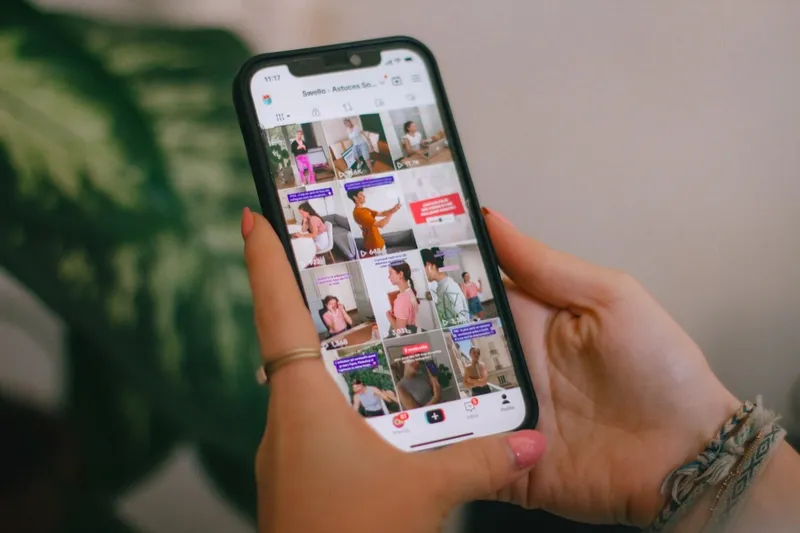
The right size for a TikTok video is 1080 × 1920 pixels, a 9:16 aspect ratio. That is a vertical frame that fills a phone screen. TikTok records up to 10 minutes in the app, and on many accounts accepts uploaded files of up to 60 minutes.
Below are the full export settings, how other aspect ratios look in the feed, and the parts of the frame TikTok's interface covers.
TikTok video specs at a glance
| Setting | Recommended |
|---|---|
| Resolution | 1080 × 1920 px |
| Aspect ratio | 9:16 (vertical). 1:1 and 16:9 are accepted. |
| Minimum resolution | 720 × 1280 px |
| Frame rate | 30 or 60 fps |
| Length | Up to 10 minutes in the app; longer for uploaded files on many accounts |
| File format | MP4 or MOV (H.264 video, AAC audio) |
How long can TikTok videos be?
The limit depends on how the video gets into TikTok:
- Recorded in the TikTok camera: up to 10 minutes.
- Uploaded from your phone or computer: up to 60 minutes on many accounts. TikTok has rolled this out unevenly, so some accounts still stop at 10 minutes.
Your upload screen shows which limit applies to you. Either way, the limit is far above what most TikToks need. A clip should last as long as one complete idea takes. For clips cut from a podcast or interview, that is usually under a minute.
TikTok aspect ratios compared
| Aspect ratio | Pixel size | How it looks in the For You feed |
|---|---|---|
| 9:16 | 1080 × 1920 | Fills the whole screen |
| 4:5 | 1080 × 1350 | Bands above and below |
| 1:1 | 1080 × 1080 | Large bands; the picture uses about half the screen |
| 16:9 | 1920 × 1080 | A thin strip across the middle |
Use 9:16. TikTok will take the other shapes, but a horizontal video plays as a strip in a feed of full-screen videos, and most viewers swipe past before they rotate the phone.
TikTok safe zone
TikTok covers more of the frame than YouTube Shorts does. The caption, sound name and buttons sit on top of your video, so text placed at the bottom or right edge disappears.
TikTok does not publish exact values for organic videos, and the overlay grows with a long caption. These margins on a 1080 × 1920 frame keep text and faces clear on current phones:
| Edge | Keep clear | What sits there |
|---|---|---|
| Top | About 150 px (8%) | Following / For You tabs, search, the phone's status bar |
| Bottom | About 480 px (25%) | Username, caption, hashtags, sound name |
| Right | About 140 px (13%) | Profile picture, like, comment, save and share buttons |
| Left | About 60 px (5%) | Nothing, but text against the edge is hard to read |
That leaves a safe area of roughly 880 × 1290 px. Put captions and on-screen text in it, slightly above the vertical center if your TikTok captions tend to be long.
How to turn a horizontal video into a TikTok
Crop a 9:16 window that follows the speaker, stack two crops one above the other, or shrink the frame onto a blurred background. Cropping looks the most native and is the one viewers expect on TikTok. The three methods and their resolution trade-offs are covered step by step in the YouTube Shorts size guide; the frame is the same.
If the source is a YouTube video, Short.now's YouTube to TikTok converter finds the strongest moments, reframes them to 9:16 around the active speaker, and adds captions inside the safe zone.
One file for TikTok, Reels and Shorts
| Platform | Size | Aspect ratio | Bottom area to keep clear |
|---|---|---|---|
| TikTok | 1080 × 1920 | 9:16 | About 25% |
| Instagram Reels | 1080 × 1920 | 9:16 | About 22% |
| YouTube Shorts | 1080 × 1920 | 9:16 | About 20% |
The same 1080 × 1920 file works everywhere. TikTok's bottom overlay is the tallest, so captions that are clear on TikTok are clear on the other two. Platform details are in Instagram Reels size and safe zone and YouTube Shorts size and dimensions.
Common TikTok sizing mistakes
- Captions in the bottom quarter. They end up under the username and sound name. Move them up.
- Text against the right edge. The button column covers it.
- Uploading 16:9 with black bars baked in. It plays as a small picture inside a vertical frame. Crop or stack it.
- Exporting below 720 × 1280. TikTok compresses every upload; a low-resolution file comes out blurry.
Paste a YouTube link into Short.now and get 9:16 clips with speaker tracking and captions placed inside the safe zone. Free to start, no watermark, no credit card.
Frequently Asked Questions
1080 pixels wide by 1920 pixels tall, a 9:16 aspect ratio. It fills a phone screen held upright, which is how almost everyone watches TikTok.
9:16 vertical. TikTok also accepts 1:1 square and 16:9 horizontal video, but those play with bands above and below and look small next to full-screen videos.
Up to 10 minutes when you record in the TikTok app. Uploaded files can be longer, up to 60 minutes on many accounts, but the limit varies by account and region. Your upload screen shows the limit that applies to you.
720 × 1280. Anything lower looks soft after TikTok compresses it. Export at 1080 × 1920 when you can.
In the middle of the frame. The bottom quarter is covered by your username, caption and sound name, and the right edge by the profile, like, comment, save and share buttons.
Ready to stop editing and start publishing?
Short.now turns your long videos into scroll-stopping shorts automatically — in under 2 minutes.
Get started free 3 free videos every month · No credit card needed