
In this lesson (8 sections)
Key takeaways
- A clip-worthy moment makes sense to a stranger with no context, opens on a clear claim or question, and ends on a payoff.
- Reading the transcript is much faster than rewatching the video. Search it for signal words, numbers and questions.
- Your own data shows where viewers rewatched: retention spikes in YouTube Studio and the most-replayed graph on the watch page.
- AI scoring is a shortlist, not a decision. Check every suggestion against the stand-alone test before you post it.
- Most weak clips start too early. Cut the setup and begin on the first sentence that matters.
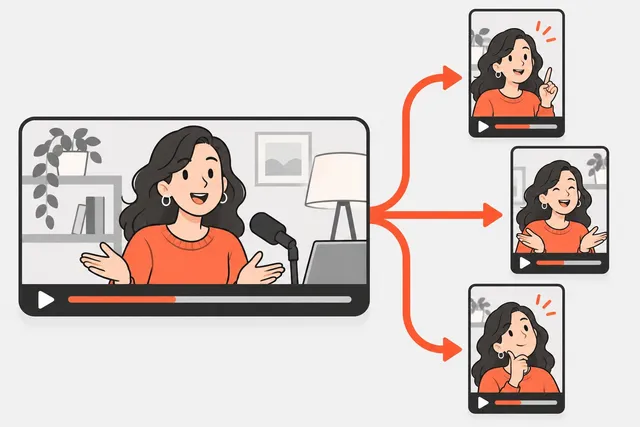
The best moments to clip from a long video are the ones that make sense to a stranger with no context: they open on a clear claim, question or story beat, and they end on a payoff. You find them fastest by scanning the transcript for signal words, checking where viewers rewatched in your analytics, and using AI scoring as a shortlist you then check yourself.
This lesson gives you a test for what counts as clip-worthy, three ways to find candidates, and the rules for where to start and stop each cut.
The stand-alone test
Before anything else, every candidate has to pass one question: would this make sense to someone who scrolled into it cold? Short-form viewers did not see the 20 minutes before. If the moment needs them, it fails.
A moment passes the stand-alone test when it has all four of these:
- A clear opening line. The first sentence tells you what this is about. “The worst advice I got as a new manager was…” works. “And that’s why it matters” does not.
- No missing references. No “like I said earlier”, “that guy” or “the second one” without saying what they are.
- One idea. It covers a single point, story or answer, not two half-points.
- A payoff. It ends on an answer, a punchline, a result or a strong opinion, not a trailing “so yeah”.
A good clip is a complete little video. The short video structure lesson explains the hook, setup, payoff shape; you are looking for moments that already have it.
Moments that usually pass
Some kinds of moments pass the test far more often than others. Look for these first:
| Moment type | What it sounds like | Why it works alone |
|---|---|---|
| Contrarian claim | ”Most people say X. I think that’s wrong, and here’s why.” | The tension is in the first line |
| Specific number | ”We went from 40 to 900 sign-ups in a month.” | Concrete and easy to follow |
| Mini-story with a turn | ”I was about to quit, then a stranger emailed me.” | Built-in setup and payoff |
| One how-to step | ”Here’s the one setting I change on every new phone.” | Useful without the rest |
| Mistake or confession | ”I wasted $5,000 on this before I learned…” | People stay to find out what |
| Disagreement | Two people pushing back on each other | Conflict holds attention |
| Strong reaction | Real surprise, laughter, frustration | Emotion reads without context |
Moments that usually fail: long explanations that build on earlier points, slides with small text, “inside” jokes, and the first few minutes of most recordings, where people are still warming up.
Method 1: Scan the transcript
Reading is much faster than watching. A 45-minute recording is around 6,000 to 7,000 words, which you can skim in 10 to 15 minutes. Get the transcript from YouTube Studio’s Subtitles page, your editor’s transcription feature, or any transcription tool, and paste it into a document.
Search for signal phrases
Use find (Ctrl+F or Cmd+F) for phrases that tend to start clip-worthy moments:
- “the mistake”, “the biggest”, “the worst”, “the best”
- “nobody”, “most people”, “everyone thinks”
- “I was wrong”, “I used to”, “the truth is”
- “here’s how”, “the trick”, “step one”
- “what happened was”, “the moment I”, “and then”
- question marks (a question plus a direct answer is a natural clip)
- numbers, prices and percentages
Highlight every hit, then read the two or three sentences around it. Most hits will be nothing. A few will be the start of something good.
Score your candidates
Give each candidate 0, 1 or 2 points on four things:
| Score | 0 | 1 | 2 |
|---|---|---|---|
| Hook | Weak or slow first line | Interesting | Makes you need the answer |
| Stand-alone | Needs context | Mostly clear | Fully clear cold |
| Payoff | Trails off | Okay ending | Strong answer, laugh or result |
| Energy | Flat delivery | Normal | Fast, emotional or animated |
Keep anything that scores 6 or more out of 8. You will usually end up with 5 to 8 keepers from a 45-minute talk-heavy recording.
Method 2: Use the data you already have
If the video is already public, your viewers have voted on its best parts.
- Retention spikes. In YouTube Studio, open the video’s analytics and find the audience retention graph and its key moments. YouTube describes spikes as moments that were rewatched or shared. It also warns that a spike can mean a part was confusing, so watch it before you clip it. YouTube says the video should be at least 60 seconds long and have at least 100 views for key moments to show.
- Most-replayed graph. On the watch page, start dragging the progress bar. A graph appears above it, and taller peaks mark the parts people rewatch most. It does not show on every video, for example if it is too new or has too few views.
- Comments with timestamps. Search your comments for ”:” and you will find people quoting exact moments.
- Your own memory. Which part did a friend or guest bring up afterwards? That part usually clips well.
Method 3: Let AI score the video
AI clip finders read the transcript and listen to the audio, then rank segments by things like hook strength, pacing and energy. Two options:
- YouTube Studio. Open a long video, go to Clips and Shorts, and create a Short. You can choose a segment by selecting transcript text or entering timestamps. YouTube says AI suggestions and an AI outline are available only in certain countries and languages, so you may or may not see them.
- An AI clipper. Tools like Short.now scan the full video, return a ranked list of clips, and cut, reframe and caption them in one go. For a long recording that turns an hour of scrubbing into a 10-minute review.
Where AI gets it wrong
Treat every suggestion as a candidate, not a verdict. AI tends to miss:
- moments that are funny because of something said 10 minutes earlier
- visual moments (a reaction face, a demo result) with little speech
- the real payoff, by cutting a few seconds too soon
- tone, such as a joke that reads as serious in text
Run each suggestion through the stand-alone test, fix the start and end points, and drop the ones that fail. You will often keep half.
Where to start and stop the cut
Picking the right moment is half the job. Cutting it at the right points is the other half.
Start later than you think
Most weak clips start too early. Delete:
- “So”, “um”, “yeah, so”, “great question”
- the restating of what you are about to say
- any setup a stranger does not need
Start on the first sentence that carries the point. If the strongest line comes 15 seconds in, consider moving it to the front as a cold open, then cutting back to the start of the story.
End on the payoff
Stop on the punchline, the answer or the result. Cut the “anyway” that follows. If there is a natural line that echoes the opening, ending there makes the clip loop nicely. Our post on how to make YouTube Shorts from long videos walks through the edit once you have your timestamps.
Tip
Write each keeper as one line in a list: start time, end time, first five words, last five words. This list is all you need for the edit session, and it makes your picks easy to hand to an editor or check against an AI tool.
Common mistakes
- Choosing your favorite instead of the clearest. The part you loved most may need too much context.
- Clips that are two ideas long. Split them into two clips instead.
- Skipping the payoff to hit a length. A complete 70-second clip beats a cut-off 45-second one.
- Clipping only the first half of the recording. Energy often peaks later, once people relax. Scan the whole thing.
- Posting everything the AI suggests. Your feed gets weaker, not stronger.
What’s next
Once you have your moments, they need to fit a vertical screen. In the next lesson, how to turn horizontal video into vertical, you will learn the crop math, four layouts and how speaker tracking works.
Practice
Do it now: find 5 moments in one video
- Pick one long video or episode you already have, 20 to 60 minutes long.
- Get its transcript (YouTube Studio > Subtitles, or your editor's transcription) and paste it into a document.
- Search the transcript for 10 signal phrases from this lesson and highlight every hit.
- Score your best 10 candidates with the 4-point rubric (hook, stand-alone, payoff, energy). Keep the ones that score 6 or more.
- Write a start word and an end word for each keeper. Then compare your picks with an AI clipper's list and note where you disagree.
Check yourself
Lesson quiz
4 questions. Get 3 right to complete the lesson. Your progress is saved in this browser.
Questions people ask
Pick moments that make sense on their own, open with a clear claim, question or story beat, and end on a payoff. Then check your YouTube retention graph for spikes, since those are parts people rewatched or shared.
As long as the moment needs and no longer. Most good clips from talk content land between 20 and 60 seconds. Cut at the payoff instead of padding to hit a number.
YouTube Studio's Clips and Shorts tool can show AI suggestions and an AI outline for a video, but YouTube says this is only available in some countries and languages. Everyone can select a segment by highlighting the transcript or entering timestamps.
They are good at finding candidates fast, especially in talk-heavy video. They are weaker at moments that depend on earlier context, visual gags or inside jokes, so review every clip before posting.
Sources
Practice on your own videos
Short.now turns one long video into ready-to-post Shorts, TikToks and Reels with captions. Free plan, no watermark, no card.
Try Short.now free