
How to Upload YouTube Shorts (Phone and Desktop)
Step-by-step ways to upload a YouTube Short from the app or from YouTube Studio, plus the shape and length rules that decide whether your video counts as a Short.
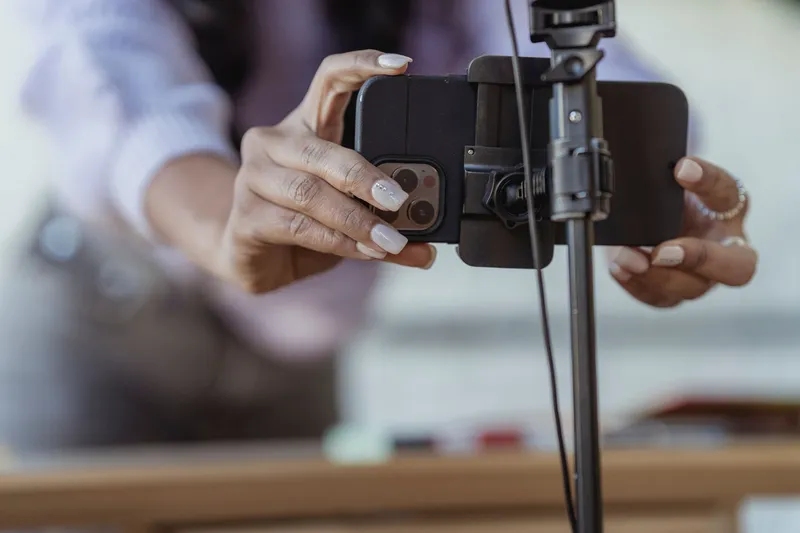
To upload a YouTube Short, open the YouTube app, tap Create, and record or pick a vertical video, or upload the file from your computer in YouTube Studio. Any video that is square or vertical and 3 minutes or shorter is classified as a Short automatically. There is no separate "Shorts" upload button on desktop and no special setting to switch on.
The steps differ depending on whether you are recording on your phone, uploading a finished file from your phone, or uploading from a computer. Below are all three, plus the checks that decide whether your upload actually becomes a Short.
Pick an upload method by what you have
| You have | Best method | Where |
|---|---|---|
| An idea, and a phone in your hand | Record in the Shorts camera | YouTube app: Create, then Short |
| A finished vertical file on your phone | Upload the file | YouTube app: Create, then Video |
| A finished vertical file on a computer | Upload in YouTube Studio | studio.youtube.com: CREATE, then Upload videos |
| A long horizontal video | Cut it into vertical clips first, then upload the clips | See the section on long videos below |
Paste a YouTube link or upload a file to Short.now and get vertical clips with word-by-word captions already added. The free plan includes 3 videos a month, exports without a watermark, and needs no credit card.
What makes an upload a Short
YouTube decides by shape and length, not by a label you choose. Per YouTube's help page on three-minute Shorts, a video with a square or vertical aspect ratio and a length of up to three minutes is classified as a Short. Videos uploaded before October 15, 2024 keep their old classification.
Three consequences follow:
- A 16:9 video is never a Short. YouTube's own guidance for keeping something out of the Shorts feed is to use a wider aspect ratio such as 16:9.
- You cannot opt a vertical video out. If it is vertical and under 3 minutes, it is a Short whether you meant it to be or not.
- Black bars hurt. YouTube says that for the best experience you should not add black bars to the sides of a vertical video. Export it at the right shape instead of placing a horizontal frame inside a vertical canvas.
For exact export settings, see our guide to YouTube Shorts size and dimensions. For what the length limit means in practice, see how long YouTube Shorts can be.
Method 1: Record and upload in the YouTube app
This is the path YouTube documents for creating a Short on mobile. It works the same on iPhone and Android.
- Open the YouTube app and sign in.
- Tap Create, then choose Short.
- Press and hold Capture to record, or tap it once to start and again to stop. You can change the duration in the upper-right corner. The multi-segment camera records Shorts of up to 3 minutes.
- Review your clips. Undo removes the last clip and Redo brings it back. To leave the camera, tap Close and choose Delete or Save and exit.
- Tap Done to preview. This is where you add sounds, text-to-speech, or other effects. Back returns you to the record screen.
- Tap Next to add details. Enter a title of up to 100 characters and set privacy. Show more opens additional options.
- Choose an audience with Select audience and say whether the video is made for kids.
- Tap Upload Short to publish, or Save draft to finish later.
On the details screen there is also a Get feedback option that gives you an analysis of your hook and pacing. It is worth using on your first few Shorts, because the opening seconds decide whether anyone stays. Our guide to writing video hooks covers what to put there.
Method 2: Upload a finished video from your phone
If you edited the video in another app, upload the file instead of recording in the Shorts camera. YouTube's help page for the Android app lists these steps:
- Open the YouTube app.
- Tap Create, then tap Video.
- Select the file you want to upload and tap NEXT.
- Fill in the details: thumbnail, title (up to 100 characters), description (up to 5,000 characters), visibility, location and playlist.
- Choose the audience, either "Yes, it's made for kids" or "No, it's not made for kids", and set an age restriction if one applies.
- Publish the video.
The Create menu can look different between iPhone and Android and between app versions, so if you do not see the exact label, look for the button that lets you pick a file from your phone. The file must still be vertical or square and no longer than 3 minutes, or it will upload as a regular video.
You can also upload from the YouTube Studio app: tap Create at the top, select the file, add the title, privacy and other details, tap Next, choose your audience, and tap Upload video.
Method 3: Upload from a computer in YouTube Studio
Desktop is the better route when the video was edited on a computer, or when you want to schedule it.
- Go to studio.youtube.com and sign in.
- In the top-right corner, click CREATE, then Upload videos.
- Select your file. You can upload up to 15 videos at a time.
- On the Details page, add a title (100 characters maximum) and a description (5,000 characters maximum). Select SHOW MORE at the bottom for audience, age restriction, tags, language and comments.
- On the Checks page, YouTube runs a copyright check in the background. You can publish while checks run and fix issues afterward.
- On the Visibility page, pick Private, Unlisted or Public, or choose Schedule and pick a date. A scheduled video stays private until that date.
- Preview your choices and click SAVE.
Two defaults to know: creators aged 13 to 17 default to private, and creators 18 or older default to public. If you see "Upload limit reached", YouTube says to try again in 24 hours. The limit applies across desktop, mobile and the API.
Uploading is the quick part. Cutting, reframing to 9:16 and captioning is the slow part. Short.now picks the strongest moments from a long video, reframes them to vertical and captions them, so the files are ready to upload. Free to start, no watermark.
Write the title and description before you publish
The title field accepts up to 100 characters on every upload path, and the description up to 5,000. Because Shorts appear mostly in a swipe feed, the title and the first line of the description do less work than they do on a long video, but they still help search and the video's page. Put the main topic in the first words.
Our guides cover each field in detail: how to write a YouTube Shorts description and how tags and hashtags work on Shorts. If you want a custom cover, read how to add a thumbnail to YouTube Shorts.
Common upload problems
The video uploaded as a regular video
This almost always means the frame is horizontal. A 16:9 video is not a Short, even if it is 30 seconds long. Re-export it vertical or square, then upload it again as a new video.
The video is longer than 3 minutes
Anything over 3 minutes is not a Short. Trim it, or split it into parts. If you are cutting a long recording down, see how to make YouTube Shorts from long videos.
A Short over one minute was blocked
YouTube says that Shorts longer than one minute with an active copyright claim are blocked globally, cannot be played or recommended, and are not eligible for monetization. Once the claim is resolved, the Short becomes viewable and monetizable again. If you use music, check the audio before you publish a long Short.
The Short is private or unlisted when you wanted it public
Creators aged 13 to 17 default to private. Check the visibility step before you hit publish, especially when you upload several files at once.
When to publish
Scheduling is a YouTube Studio feature on the computer: choose Schedule on the Visibility page and pick a date. For timing advice, see our guide to the best time to post YouTube Shorts.
What counts as a view on a Short
Per YouTube's help page, since March 31, 2025 a Short view counts each time the Short starts to play or replay, with no minimum watch time. The earlier metric is now called "Engaged views". That means view counts on Shorts are higher than they used to be for the same audience, so compare new Shorts against recent ones rather than against old numbers.
Shorts and monetization
Shorts can lead to the YouTube Partner Program, but the requirements are specific. According to YouTube's Partner Program eligibility page, you need 1,000 subscribers plus either 4,000 qualified public watch hours in the last 12 months, or 10 million qualified Shorts views in the last 90 days. Watch hours from the Shorts feed do not count toward the 4,000-hour threshold. Our academy guide on monetizing YouTube Shorts goes further.
Open the Short.now Shorts maker, add a link or a file, review the ranked clips, and download vertical, captioned videos. The free plan covers 3 videos every month with no watermark and no card.
Frequently Asked Questions
Open the YouTube app, tap Create, and choose Short to record in the Shorts camera. If you already have a finished file, tap Create, then Video, select the file and tap Next. Add a title of up to 100 characters, choose your audience, and publish.
Go to YouTube Studio, click CREATE, then Upload videos, and select your file. Add the title and description, choose a visibility option or schedule a date, and click SAVE. There is no separate Shorts button; a square or vertical video of 3 minutes or less becomes a Short automatically.
YouTube classifies a video as a Short only if it is square or vertical and up to three minutes long. A horizontal 16:9 video is a regular video, whatever its length. Re-export the file vertical or square and upload it again.
Not toward the 4,000-hour threshold for the YouTube Partner Program. YouTube says watch hours from the Shorts feed do not count toward the 4,000 qualified public watch hours. Shorts have their own route: 10 million qualified Shorts views in the last 90 days, plus 1,000 subscribers.
Yes, through the YouTube Partner Program. You need 1,000 subscribers and either 4,000 qualified public watch hours in 12 months or 10 million qualified Shorts views in 90 days. Check YouTube's eligibility page for the current terms.
Ready to stop editing and start publishing?
Short.now turns your long videos into scroll-stopping shorts automatically — in under 2 minutes.
Get started free 3 free videos every month · No credit card needed